Cloud-ready · Proxy library · Archive workflows

Media Asset Management for modern broadcast teams.

Easy MAM Cloud centralises ingest, proxy review, metadata, visual fingerprinting, similarity search, rights, collaboration and archive workflows for TV stations, IPTV operators, production teams and media archives. Browser access · Proxy workflows · Search by media · NLE integration · API support.
See Pricing
SD-4K
Video Standards
API
Third-Party Integration
LTO
Archive Support
NLE
Editor Integration
ems · operations
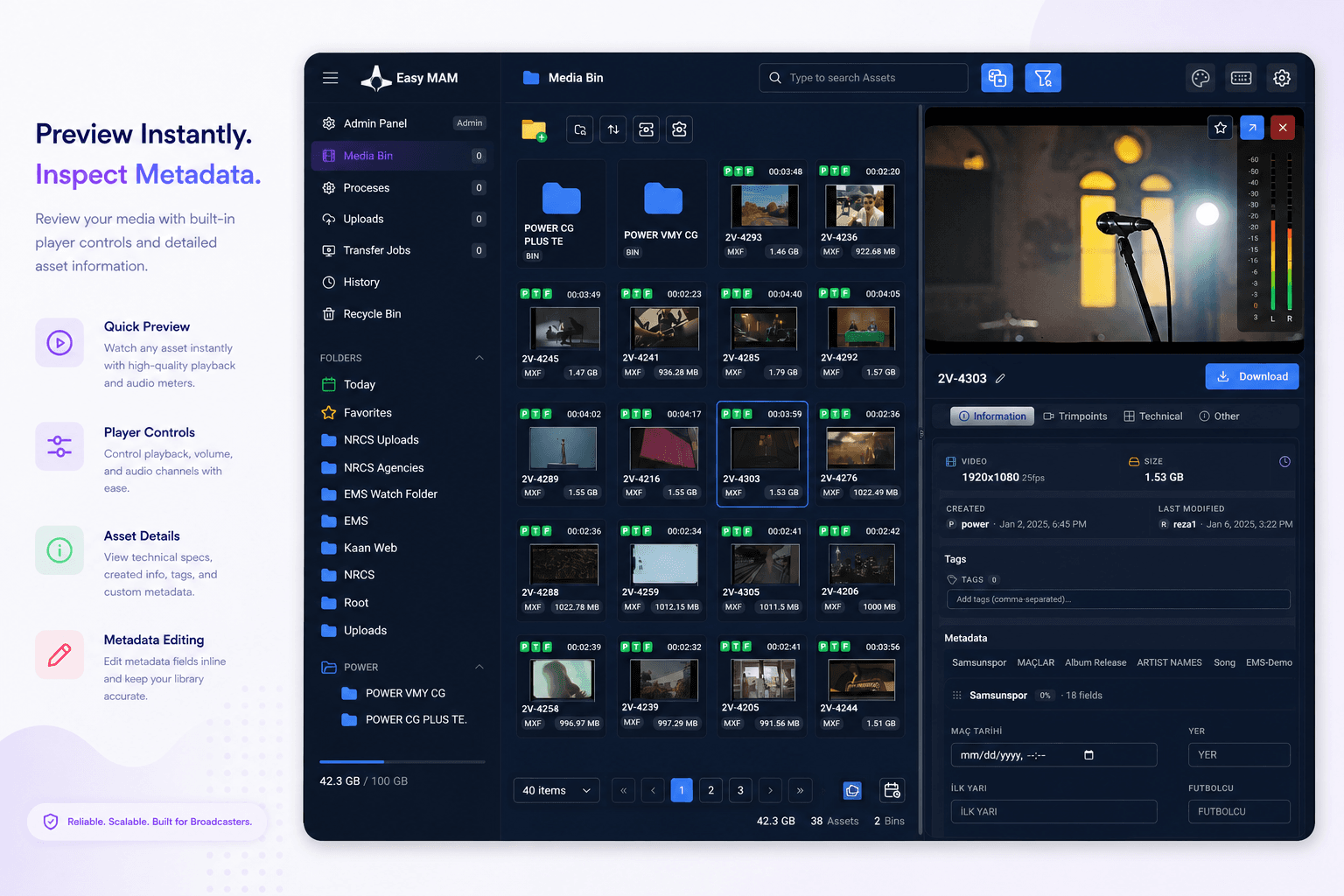
Easy MAM quick preview interface with media grid, player, metadata tabs and asset details
TV stationsIPTV operatorsProduction companiesMedia archivesGovernment & education
Proxy
Online review library for low-bandwidth collaboration
Metadata
Custom fields, categories and advanced search
Rights
Role, folder and metadata-based access control
Archive
Ageing rules, restore flows and LTO support
WHY EASY MAM CLOUD

A unified media library from ingest to archive.

Fourteen MAM capabilities based on the published Easy MAM workflow and modern media discovery requirements: proxy access, metadata, fingerprinting, similarity search, rights, transfer, NLE, API and archive management.

Central Content Catalogue
Organise video, audio, image and document assets in a searchable multimedia catalogue.
Proxy Library
Browse and review proxy copies while native-resolution media remains in managed storage or archive.
Advanced Search
Search by technical information, categories, custom metadata and alternate criteria.
Fingerprint Generation
Generate perceptual media fingerprints from video frames, thumbnails and still images so assets can be matched by visual identity, not only by filename or metadata.
Search by Video or Image
Upload or select a reference clip, frame or image to find duplicates, near-duplicates, reused shots, related footage and visually similar archive material.
Custom Metadata
Add new categories and metadata fields according to user, project and workflow requirements.
Preview & Trim
Preview assets and perform in/out trim workflows directly inside the MAM experience.
Rights Management
Control read, write, delete, save and folder permissions for users and groups.
Secure Transfer
Use managed transfer workflows that report successful asset transmission status.
Recycle Bin & Versions
Recover deleted assets, keep changed content as a new copy and maintain operational safety.
Archive & Ageing
Move unused assets into archive by configurable day, week, month or year policies.
LTO Archive Support
Support long-term LTO tape archive workflows with barcode-based retrieval for offline media.
NLE Integration
Integrate with editing tools including Adobe Premiere Pro, Grass Valley EDIUS and DaVinci Resolve.
API Support
Connect Easy MAM to traffic, automation, archive and third-party media systems through API workflows.
MAM WORKFLOW

From ingest to archive without losing context.

Six practical stages for broadcast MAM operations: acquire content, enrich metadata, review proxies, protect access, integrate with production and archive safely.

WORKFLOW · ACTIVEACCESS · BROWSERMEDIA · SD/HD/2K/4KSTAGES · 06
01
Ingest & Register
Any media
Files and sources are registered into the central catalogue with technical metadata such as resolution, file size, codec and container details.
VideoAudioImageDocument
02
Proxy Generation
Proxy
Proxy, thumbnail and storyboard copies are created automatically or manually so users can browse content without moving native-resolution media.
ThumbnailsStoryboardsPreviewBrowser
03
Metadata & Categories
Custom
Operators enrich assets with custom categories and editorial metadata, update thumbnails or download links, and keep changes visible through logs.
CategoriesMetadataRSSLogging
04
Search & Retrieve
Advanced
Users search by technical data, custom metadata, category, media fingerprint or visual similarity to retrieve the right asset, even when filename and manual metadata are incomplete.
TechnicalEditorialCategoryFingerprintSimilarity
05
Rights & Collaboration
RBAC
Admins assign users and groups, protect folders and files, control access actions, share assets, assign tasks and record activity in audit logs.
UsersGroupsTasksComments
06
Archive & Restore
LTO
Ageing rules move unused assets into archive, while LTO and barcode-based retrieval keep long-term content searchable even when tapes are offline.
AgeingBarcodeRestoreRetention
THE PLATFORM

Every MAM workflow in one browser console.

Generated Easy MAM product demos covering library browsing, preview, search, editing, admin and processing workflows.
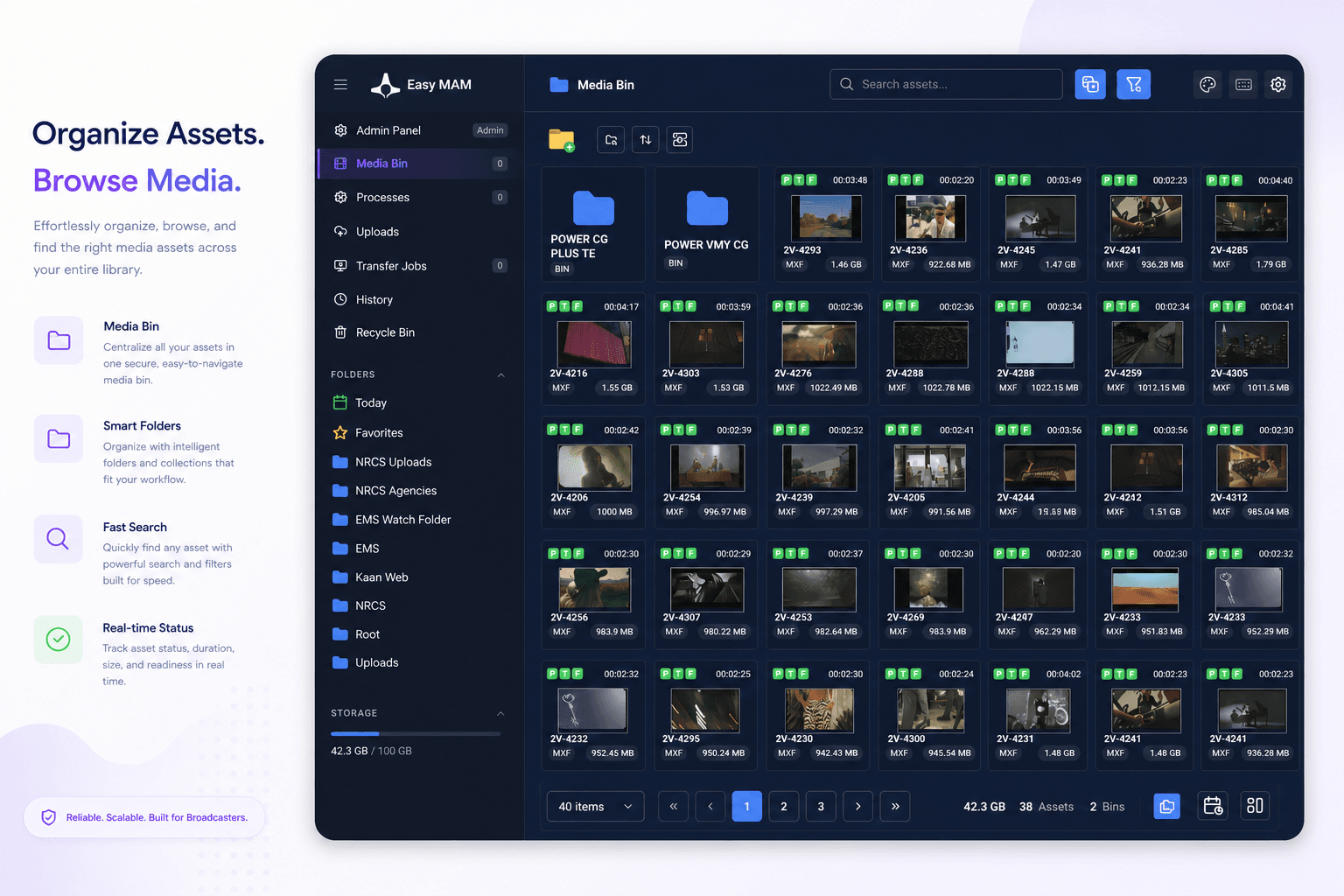
Easy MAM media bin with folder tree and asset grid

Browse folders, bins and asset cards across the shared media library.

PLATFORM ARCHITECTURE

Cloud-ready MAM with archive discipline.

Easy MAM combines a database-driven asset catalogue, browser proxy access, managed storage/archive workflows, user rights and API-based ecosystem integration.

Database-Driven Catalogue
Query the MAM database to view and search media object details with client/server architecture for managed performance and security.
Proxy + Native Media Model
Users browse proxy copies while native-resolution media is protected in primary storage or archive tiers.
Authentication & Permissions
User, group, folder, category and metadata-based rights protect content throughout production and archive workflows.
API & Suite Integrations
Third-party API support and Easy Media Suite integrations connect MAM with newsroom, playout, playlist, CG and automation systems.
MEDIA LIBRARY

A central catalogue for every broadcast asset.

Easy MAM organises multimedia assets into a searchable catalogue for TV stations, head ends, telecoms, IPTV teams, production companies and archives. Technical metadata is captured automatically while editorial metadata, categories and perceptual fingerprints can be added to improve discovery.

  • Video, audio, picture and document asset management
  • Automatic technical metadata capture for resolution, size and format details
  • Custom categories and metadata fields for editorial search
  • Proxy thumbnails and storyboard copies created automatically or manually
  • Perceptual fingerprints for video frames and image assets to support visual matching
Easy MAM media bin with folder tree and asset grid
RIGHTS & COLLABORATION

Protect content while teams keep moving.

Administrators control read, write, delete, save and folder access for users and groups. Operators can label, comment, share, assign tasks and broadcast assets according to their permissions.

  • User and group authentication management
  • Folder, category and metadata-scoped authorization
  • Comment, label, share and task assignment workflows
  • Audit logs for user actions and content changes
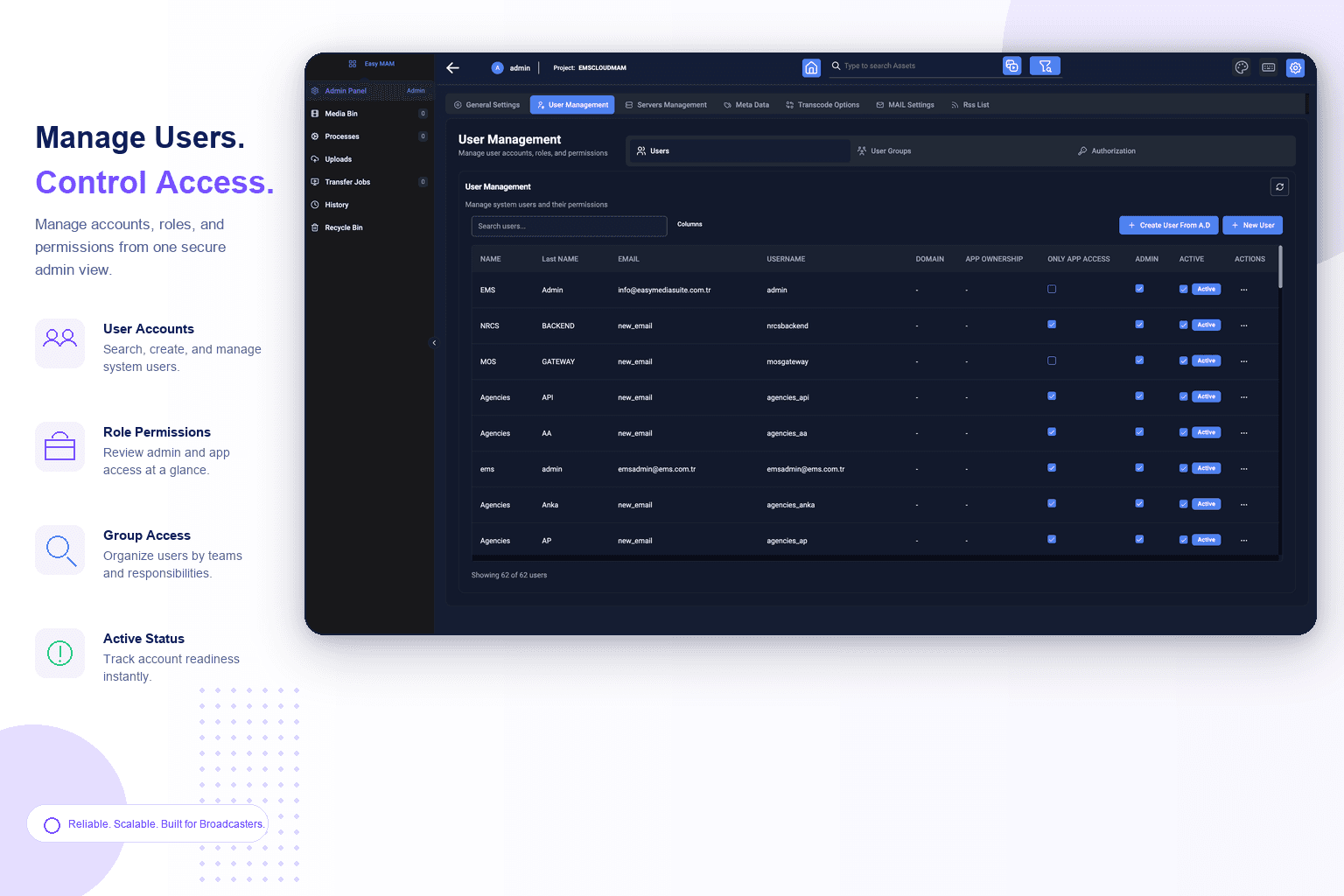
Easy MAM user management permissions table
ARCHIVE & INTEGRATION

Move from production storage to long-term archive.

Easy MAM includes archive ageing rules, recycle-bin recovery, API access, NLE integrations and LTO archive support, so teams can retrieve content from production storage or tape without losing searchable metadata.

  • Configurable ageing rules for unused media by day, week, month or year
  • Recycle bin recovery before permanent deletion
  • Adobe Premiere Pro, Grass Valley EDIUS, DaVinci Resolve and EDIUS X workflows
  • LTO archive support with barcode-based retrieval for offline tapes
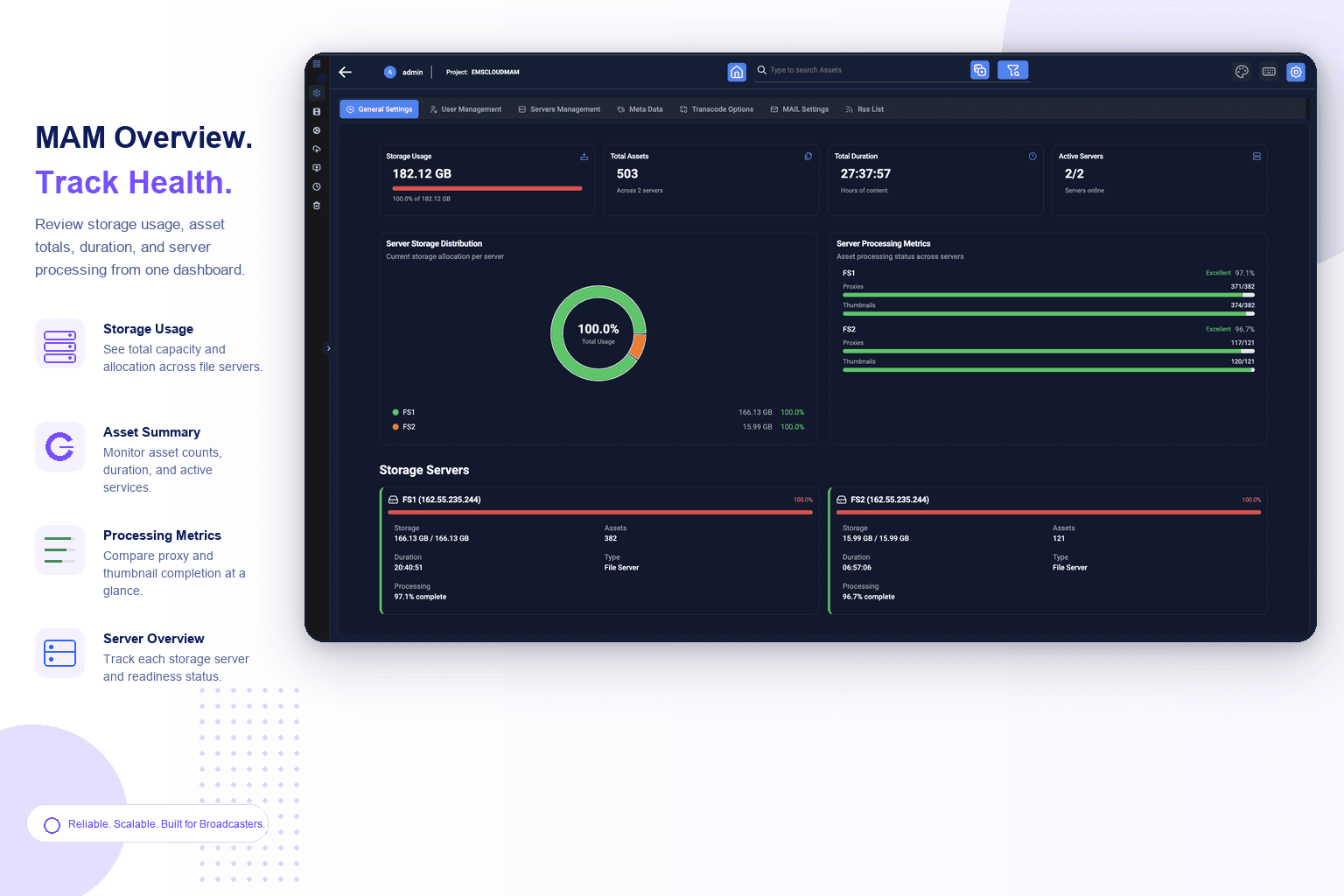
Easy MAM overview dashboard with storage and processing metrics
DEPLOYMENT

Deploy for cloud, facility and archive workflows.

A MAM deployment has to fit the storage you already operate: browser access for teams, secure transfer for media movement, and archive policies for long-term retention.

Cloud-Ready MAM
Run browser-based proxy and catalogue workflows for distributed media teams and remote review.
Facility Storage
Manage native-resolution assets in production storage while exposing proxies and metadata through the MAM.
LTO Archive
Support tape archive workflows with barcode lookup and restore paths for offline content.
Suite Integration
Connect with Easy NRCS, Easy Net Control, Easy Playlist Editor, Easy CG and Easy OnAir workflows.
DEPLOYMENT

Built for controlled media operations.

Browser access · Permissions · Audit logs · API · Archive policies.

Permission Controls
Limit read, write, delete and save operations by user, group, folder, category and metadata scope.
Managed Transfer
Move assets through controlled transfer workflows that report successful transmission state.
Audit Logging
Track user transactions, metadata updates, transfers and archive actions for operational reporting.
API Access
Use API support for integrations with traffic, automation, archive, newsroom and third-party media systems.
WHY MOVE

Folder storage vs. Easy MAM Cloud.

The difference is whether assets stay findable, protected and reusable after the first upload.

CapabilityShared foldersEasy MAM Cloud
Asset discoveryManual folder browsing and filename searchMetadata, category and technical search
Similarity searchNo reliable way to find visually related mediaFingerprint-based search by video frame, thumbnail or image
PreviewDownload native files before reviewOnline proxy library with thumbnails and storyboards
RightsBasic folder permissionsUser, group, folder, category and metadata controls
Production workflowDisconnected from editing and playout toolsNLE, Easy Media Suite and API integration
ArchiveManual movement to cold storageAgeing policies, restore workflows and LTO support
RecoveryAccidental deletion can be permanentRecycle bin recovery before permanent delete
ReportingLimited visibility into asset changesUser transaction logs and workflow reports
ScaleFolder sprawl across teams and storageCentral MAM catalogue across production and archive
BUSINESS VALUE

Real outcomes for media operations teams.

Easy MAM Cloud turns growing media libraries into searchable, governed and reusable production assets.

Find Content Faster
Metadata, category, technical and visual similarity search reduce time lost to manual folder browsing, duplicate uploads and missing metadata.
Detect Reused or Related Media
Media fingerprints help operators identify duplicates, near-duplicates, reused shots, alternate edits and visually related archive material from a video or image reference.
Protect Valuable Media
Rights management prevents unauthorised reading, writing, deleting or saving of sensitive assets.
Review Without Heavy Downloads
Proxy previews, thumbnails and storyboards let distributed teams evaluate content before moving native files.
Control Archive Growth
Ageing rules and LTO workflows help move unused content out of expensive production storage without losing searchability.
Connect Production Tools
NLE and Easy Media Suite integrations reduce handoffs between archive, edit, playlist, graphics and playout workflows.
Improve Accountability
User logs, transfer status and metadata histories give managers a clearer view of content operations.
BUILT FOR

Built for every team with a serious media library.

From TV stations and IPTV operations to production companies, public institutions and long-term media archives.

TV Stations
Manage broadcast assets, programme material, promos, graphics and archive footage from one catalogue.
Head Ends & Telecoms
Organise content libraries for IPTV, Web TV and telecom media services with controlled access.
Production Companies
Keep project media, edit references, versions and archive material searchable across teams.
Media Archives
Preserve large video collections with metadata, search, restore workflows and LTO archive support.
Education & Institutions
Protect lectures, institutional video, training media and public communication assets.
Government & Security
Manage sensitive media libraries with permissions, audit logs and controlled retrieval workflows.

Ready to make every asset searchable?

Book a live MAM workflow session. We'll map your storage, metadata, archive and production integrations, then show how Easy MAM Cloud fits the way your team works.